Grok Bot · Tutorial 03
Create Your First Grok Bot Agent
Create one focused Bot, give it a useful job and approval boundary, then test and improve its work.

0 of 14 complete
Last tested and updated: August 2026
Your first Bot needs one clear job. “Research assistant” is workable. “General helper that handles everything” is not.
A focused role helps the Bot build relevant context and gives you an obvious way to judge its output. You can add specialists later when the work genuinely splits.
Create the Bot
- Choose New in the sidebar, or press
Cmd/Ctrl+N. - In New chat, choose Create new agent.
- Grok Bot opens a Bot called New Agent.
- Open Bot actions → Edit Profile.
- Set a name, title, description, and optional avatar.
- Start with one concrete task.
An account can currently have up to 50 Bots and group chats combined. That is a ceiling, not a target.
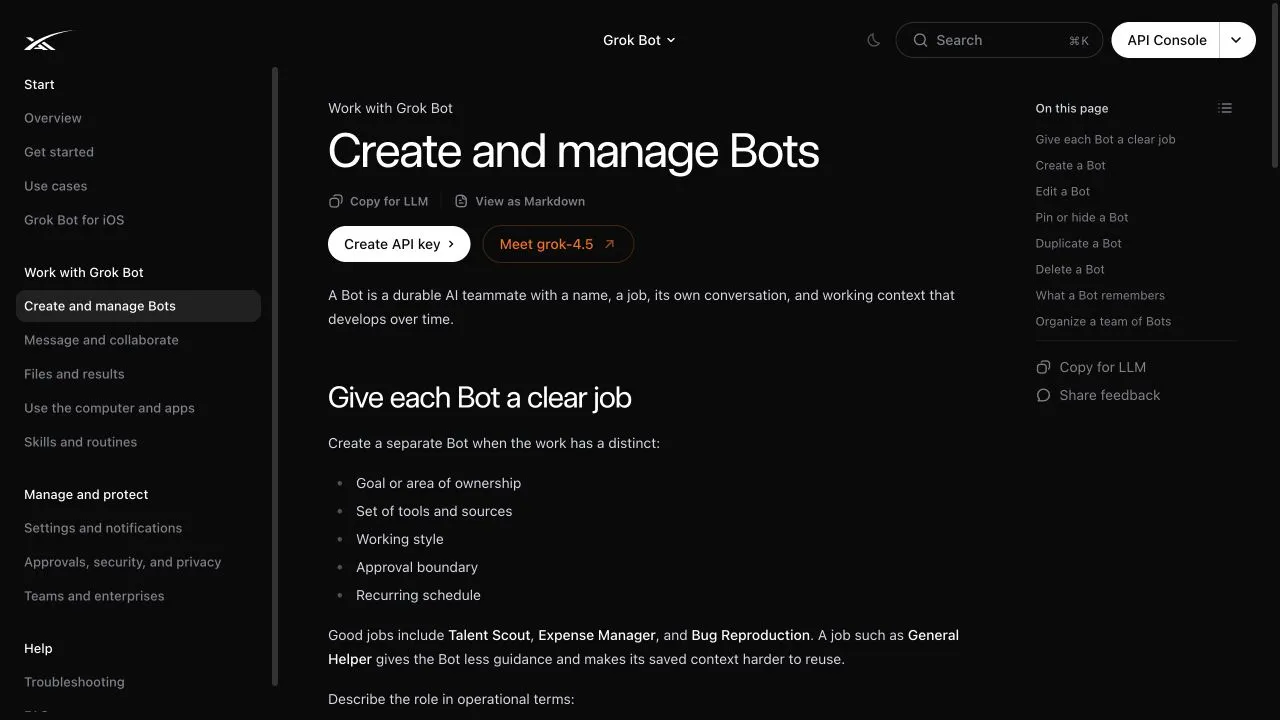
Write a useful profile
Put lasting rules in the profile description. Put details for today’s job in the conversation.
Try this starter profile:
Name: Scout
Job: Research assistant

Description:
Research public sources for the questions I assign.
Prefer primary sources and preserve direct links.
Separate confirmed facts from interpretation.
Return a short summary, an evidence table, and unanswered questions.
Never sign up, send a message, publish, buy, delete, or change an account without my approval.
The name makes the roster easier to scan. The job and description do the real work.
Give it a first task
A useful request has five parts:
Outcome: Compare the onboarding pages of these three products.
Sources: The three URLs attached to this message.
Constraints: Use only those pages. Do not create accounts or submit forms.
Deliverable: A comparison table, five takeaways, and a source link for every claim.
Review point: Stop and ask me if a page requires a login.
Ask the Bot to show its result in the chat rather than changing an external system. Your first run is about learning how the Bot behaves, not testing the maximum amount of access you can grant.
Review the work like a manager
Check four things:
- Completion: Did it answer the actual question?
- Evidence: Can you open the cited source for every factual claim?
- Boundaries: Did it stay within the allowed pages and actions?
- Usefulness: Could someone use the result without asking what it means?
Then correct it specifically:
The table is useful, but two claims lack direct links.
Reopen the sources and add a link for each factual row.
For future research, put unsupported points under "Needs verification" instead of presenting them as facts.
Stable preferences belong in the Bot description. A one-off correction belongs in the current conversation.
What a Bot remembers
The official guide says a Bot can retain working preferences, important facts, and summaries. Treat that memory as convenience, not as a database of truth. Changing prices, schedules, permissions, and product features should be reopened at their authoritative source.
When to add another Bot
Keep one Bot when the tasks serve the same outcome, use similar sources, and share an approval boundary. Create a specialist when the work has a distinct owner, tool set, working style, or schedule.
For example:
| Keep one Bot | Create another Bot |
|---|---|
| Research three competitors and update the same brief | A writer receives the research and owns a weekly newsletter |
| Check several metrics in the same dashboard | An operations Bot needs access to invoices and email |
| Revise the format of the same report | A quality reviewer must challenge another Bot’s output |
The video introduces the named-agent team idea at 00:30. The current official guide adds an important practical rule: begin with the smallest useful roster.
Pin, hide, duplicate, or delete
- Pin keeps an active Bot near the top of the sidebar.
- Hide from sidebar removes clutter without deleting the work or pausing routines.
- Duplicate copies the profile, settings, enabled skills, routines, and avatar. It does not copy conversation history, learned memory, or chat attachments.
- Delete removes the active profile, conversation, and routines.
Deleting a Bot does not necessarily remove files or logins on the shared computer. Clean up the shared workspace and sign out separately.
Exercise: run two versions of one task
- Give your Bot the comparison task above.
- Score completion, evidence, boundaries, and usefulness from 1 to 5.
- Add one durable instruction to its profile.
- Ask it to compare three different pages using the same format.
- Score the second result.
- Keep the profile change only if it improved the second result without creating a new problem.
Save both outputs. Improvement is easier to judge when you compare actual work rather than whether the conversation felt impressive.
Sources and evidence boundary
- Official Create and manage Bots guide, updated August 11, 2026
- Official Get started guide
- Official approvals, security, and privacy guide
- Alex Finn video at 00:30, creator observation about named agents
This lesson does not assume that a name or avatar changes model capability. Those fields organize the teammate; clear instructions, relevant access, evidence, and review determine whether the work is useful.
What’s next
Give your Bot better context without oversharing in L04: The Brain-Dump and Reverse-Prompt Method.