Hermes Agent · Tutorial 01
Hermes Agent Explained
Learn how Hermes Agent combines memory, tools, skills, schedules, and messaging, and how it differs from chatbots and coding agents.

0 of 12 complete
Last tested and updated: August 2026
Hermes Agent is an open-source AI agent harness from Nous Research. It connects a language model to memory, files, commands, reusable skills, scheduled jobs, and messaging channels. You can run it locally, on a VPS, or through supported remote environments.
What a harness adds
A harness gives a model a working environment. It can post a scheduled brief to Discord, file a GitHub issue, update a document, or continue a bounded task on an always-on server after you close your laptop.
This is the first lesson in the academy. The install lesson is next, in L02: How to Install Hermes Agent for Beginners.
Model and harness are different layers
One useful analogy is to treat the model as the brain and the harness as the body.

A model (Claude, GPT, DeepSeek, Kimi, Qwen) takes text in and returns text out. On its own, it can’t read a file on your computer. It can’t run a command. The model is the brain.
A harness is the program that wraps the model. It reads your codebase, runs shell, posts to GitHub, schedules jobs. It remembers a preference across sessions. The harness is the body.
When an agent fails, check both layers. The model may have misunderstood the task, while the harness may have supplied weak context, the wrong tool, excessive permissions, or no useful verification step. Switching models cannot repair a broken workflow by itself.
Choose the working environment
In 2026, harnesses split into two broad categories.
| Goal | Pick | Why |
|---|---|---|
| Code work inside a repository | A coding harness such as Claude Code, Codex, or Cursor agent mode | Keeps the repository, terminal, diffs, and tests close to the task. |
| Recurring work across tools or messaging channels | Hermes | Adds persistent memory, schedules, reusable skills, gateways, and long-running execution. |
For a deeper comparison once you’ve tried both, see L09: Hermes Agent vs Claude Code vs Mavis.
What Hermes specifically is
Hermes is an open-source agent harness from Nous Research. It can run on your laptop, a rented server (a VPS, or virtual private server), or another supported execution environment. Source: official Hermes Agent repository.
From the project’s documentation: “We are not a coding co-pilot tethered to an IDE. We are an autonomous agent that gets more capable the longer it runs.”
In practice, Hermes can:
- Read and write files in a working directory you specify.
- Run shell commands and verify their output.
- Remember context across sessions, especially things you flag as important.
- Be scheduled to run tasks at specific times (covered in L08: Automation: cron, kanban, sub-agents).
- Connect to external tools through built-in integrations or MCP (Model Context Protocol, see L05).
What Hermes is, and what it is not:
- An agent runtime with several interfaces. Hermes can appear in the terminal, desktop app, or messaging channels. The same runtime handles the work behind those surfaces.
- Not a model. You bring your own key (BYOK = “Bring Your Own Key”). Use Anthropic, OpenAI, DeepSeek, Kimi, etc. Cost = model spend.
- Not magic. It improves with use, but you put in the time. See source video
GGtmmx0MKCI, 18:40.
What you’ll see when you install it
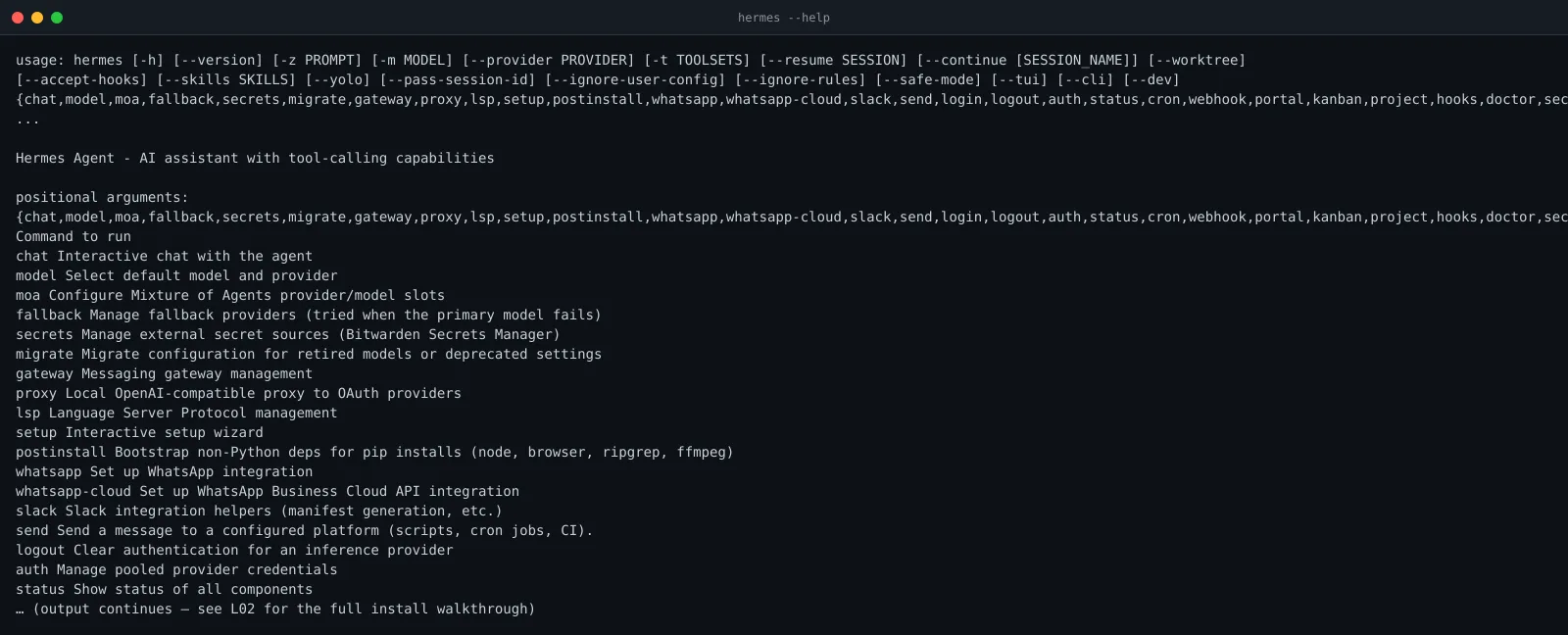
When you run hermes --help, you get the full command list for the CLI (command-line interface). The desktop app and messaging gateways sit on top of the same agent runtime.
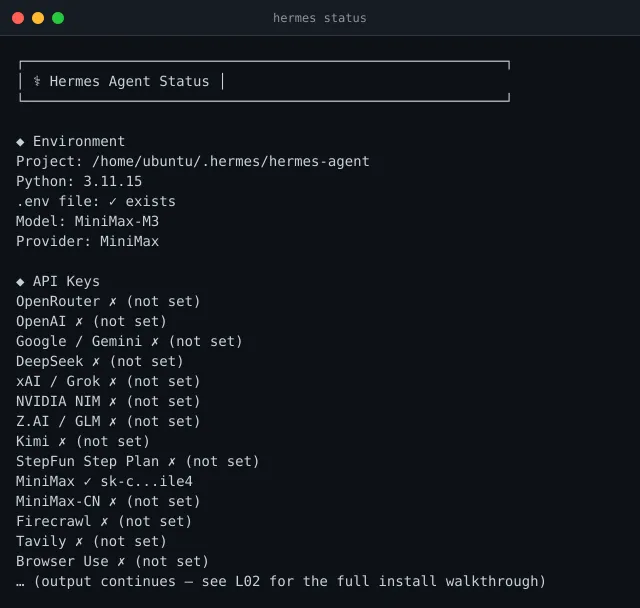
After install, hermes status gives a one-screen health check of every component:
Test one bounded workflow
The exercise
Open a text file on your computer. Write down this answer in your own words, no copy-paste:
“If I want to post a summary of today’s top 3 AI news stories to my Discord every morning at 7am, which kind of harness should I use, and why?”
A good answer names Hermes because the workflow needs a schedule and a messaging channel. A coding harness can help build that workflow, but Hermes is the runtime that keeps it available after the coding session ends.
A sneak peek at what’s coming
The 7am Discord job above is a real workflow you’ll build later. Here’s the shape:

You don’t write glue code. You register a cron entry, point Hermes at a skill, and paste a Discord webhook URL. L08: Automation walks you through it end-to-end.
Watch the full mental model
Prefer hearing this from Ron? 13 minutes, same source video:
Common questions about Hermes Agent
Is Hermes Agent a model?
No. Hermes is the harness around a model. You choose a supported model provider, then Hermes supplies memory, tools, skills, schedules, session handling, and interfaces.
Is Hermes Agent the same as Claude Code or Codex?
No. Claude Code and Codex are built around coding work in a repository. Hermes is designed for persistent workflows that may span files, messaging channels, scheduled jobs, and other tools. The products overlap, but their default working environments are different.
Does Hermes Agent need a VPS?
No. A local Mac or supported computer is enough for learning and interactive work. A VPS becomes useful when the agent must remain available while your laptop is asleep or disconnected.
Can Hermes Agent run without an API key?
Hermes needs access to a model. The exact authentication depends on the provider or subscription route you choose. Keep provider credentials out of repositories and give each workflow only the permissions it needs.
What can beginners automate with Hermes?
Start with a reversible task that has a clear output, such as a scheduled research brief written to a file or delivered to a private channel. Avoid deployment, deletion, payment, or public publishing until you have tested the workflow and its approval boundaries.
What’s next
- Install it. See L02: How to Install Hermes Agent for Beginners.
- Still not sure? Read L09: Hermes Agent vs Claude Code vs Mavis for a deeper comparison.