Case studies · Tutorial 10
Build and Verify a Claude Code Dynamic Workflow
Turn a large Claude Code job into independent workers, a deliberate merge, and a separate verification pass without creating an expensive agent swarm.
0 of 12 complete
Source-checked and updated: August 10, 2026. The workflow behavior and controls in this tutorial were checked against Anthropic’s launch post and Claude Code workflow documentation.
By the end of this tutorial, you will have a small fan-out workflow, a structured merge contract, a separate verification step, and a run record containing the sources, failures, elapsed time, and token cost.
The most useful idea in a widely shared “Graph Engineering with Claude” thread is also the least glamorous: a multi-step agent is not automatically a workflow.
If task B does not need task A’s result, making B wait is wasted time. If several agents need to inspect separate files, sources, or routes, they should not all take turns inside one increasingly crowded conversation. Some parts of the job depend on each other, some can run together, and some need a check before they are trusted.
Anthropic now gives that shape a concrete home in Claude Code. Dynamic workflows let Claude write a JavaScript orchestration script for a task, run many subagents in the background, verify findings, and return a coordinated result. The feature is generally available in Claude Code 2.1.154 and later on paid plans, as well as through Anthropic’s API and several cloud platforms.
That makes “graph engineering” less of a grand new title than a practical skill: decide what can run at the same time, what actually needs an upstream result, where to merge the work, and how to stop a bad finding from reaching the final answer.
The shift is from a chat sequence to a work graph
A linear agent task looks familiar:
- Read file A.
- Read file B.
- Read file C.
- Produce a summary.
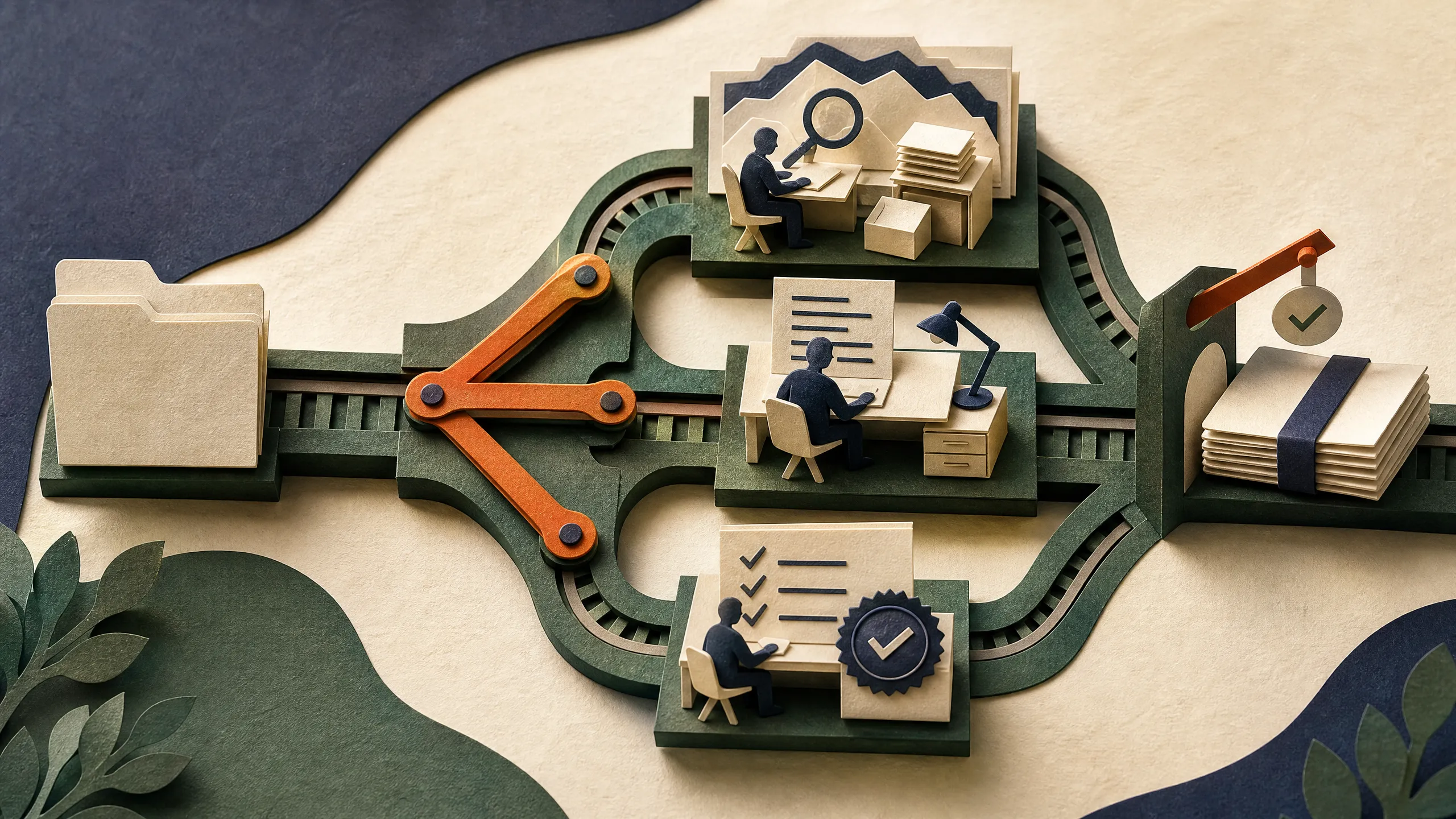
That is fine if every step needs the last one. It is poor design when the files are independent. A better shape is a fan-out: one worker per file, followed by a merge that ranks, deduplicates, and verifies the findings.
route A review ─┐
route B review ─┼─> merge and deduplicate ─> verify ─> report
route C review ─┘
The boxes are jobs. The arrows are the data that one job needs from another. This distinction matters because it exposes fake dependencies. “Check the docs and inspect the issue tracker” is not a sequence unless one of those tasks needs the other’s output. They can start together.
Anthropic’s workflow documentation makes the same architectural distinction. Ordinary subagents, skills, and agent teams keep intermediate work in a model context or a shared task list. A dynamic workflow puts the plan, loops, branches, and intermediate results in a script, leaving the main conversation to receive the result instead of a flood of raw work.
How Claude Code runs the workflow
When you ask Claude Code to “use a workflow” or include the ultracode keyword, Claude plans the job and writes the orchestration script. The runtime executes it in the background while the main session remains usable. You can inspect the planned phases before running it, follow progress in /workflows, pause or stop the run, and save a successful workflow for later.
The documented examples are deliberately practical:
- audit many route handlers for missing authentication, then adversarially verify each finding;
- migrate a large component set in isolated copies so parallel edits do not collide;
- review each changed file, then merge and rank the results;
- research a question across sources, cross-check claims, and synthesize a cited report;
- repeat a search or test pass until consecutive rounds stop finding anything new.
The built-in /deep-research workflow is the clearest non-code example. It fans out web searches across different angles, fetches and cross-checks what it finds, votes on claims, and returns a cited report. Claude Code documents an important failure mode too: when a verifier cannot check a claim because of a rate limit or API error, the report labels it unverified rather than treating it as disproven.
Why the graph is useful
The thread calls this “graph engineering,” but the underlying discipline is familiar to anyone who has designed a build system, data pipeline, or distributed job queue.
Each worker needs a narrow job and a clear return shape. “Review this route for authentication gaps and return a ranked list with file, line, evidence, and confidence” is a workable contract. “Look around and tell me what seems wrong” is not. Clear outputs let a later stage compare results without asking another agent to decode prose.
The merge stage deserves just as much thought. Sometimes it is plain code: flatten results, remove duplicate file-and-line pairs, discard empty responses, and sort by severity. Spending a model call on that plumbing adds cost and another chance for mistakes. Save agent judgment for work that actually needs judgment, such as deciding whether two subtly different reports describe the same security issue.
Then add a real check. A second agent can try to reproduce a claimed bug, test whether a cited source supports a conclusion, or review a proposed migration from a different angle. Anthropic says workflows can use independent attempts and adversarial agents before results are reported. That is not a guarantee of correctness, but it is much better than giving one worker’s first answer the authority of a final report.
Large jobs create a coordination problem
Large agent jobs tend to fail in two predictable ways. The first is context pressure: one conversation accumulates source text, tool output, partial conclusions, and implementation details until it loses the thread. The second is coordination pressure: the agent must remember which tasks are pending, which ones failed, which results overlap, and what still needs checking.
Dynamic workflows address both by putting coordination into a script. Claude’s documentation says a workflow can scale from dozens to hundreds of agents in one run, while results live in script variables rather than the main context window. Anthropic also says progress is saved so interrupted runs can resume in the same session.
That does not mean every task should become a fleet. Anthropic warns that workflows can use substantially more tokens than a normal Claude Code session. They also take longer than a simple request because the system has to plan, fan out work, wait for the relevant merges, and verify it.
Before adding more agents, ask whether independent workers would produce a better answer, faster, with a check you can trust.
Start with one useful shape
For most teams, the first workflow should be small enough to inspect. A review of every API route for missing auth is a better starting point than an autonomous rewrite of the codebase.
Use this prompt in Claude Code:
use a workflow to audit every route handler under src/routes/ for missing authentication checks.
Run one reviewer per file, adversarially verify each candidate finding, then return one ranked report with evidence.
That prompt says what can fan out, what must happen after the fan-in, and what the final answer should contain. It is specific enough for Claude to draw a sensible graph without forcing you to hand-author orchestration code.
If the workflow proves useful, save it from /workflows with s. Claude Code can save it in .claude/workflows/ for the repository or in your personal Claude configuration. The saved script becomes a repeatable command rather than an impressive one-off prompt.
Turn one workflow into portfolio proof
Do not build a huge agent system just to demonstrate orchestration. Pick a deliverable that a client or teammate already understands:
| Project | Finished deliverable | Proof to keep | Who may value it |
|---|---|---|---|
| Repository audit | Ranked findings with file, line, evidence, and severity | Reproduction checks and false positives removed | A small team preparing a release |
| Research brief | A short cited answer to one business question | Source ledger and unsupported claims marked | An operator who needs a weekly decision brief |
| Migration plan | Component inventory, dependency order, risks, and test plan | Sample migration and passing checks | A team estimating a framework or design-system change |
Run the workflow once on your own material. Record the graph, prompt contracts, model and token cost, elapsed time, verification failures, and manual review. The work becomes commercially interesting when it produces a checked result faster or more consistently than the old process.
The smallest paid test is a fixed-scope deliverable for one real buyer. Agree on the question, evidence standard, format, deadline, and what is outside scope. Charge for the reviewed audit or brief. A swarm of agents is an implementation detail, not the product.
Where people will get this wrong
The thread is right to push people away from straight lines. It goes too far when it makes every sequence sound like a mistake.
Some tasks really are sequential. You cannot verify a migration before the migration exists. You cannot make a well-grounded synthesis before you have gathered the material it must compare. You should not let several agents edit the same files at once without isolation and a merge plan.
Parallel work also needs bounded scope. A hundred vague workers can create a hundred versions of the same weak claim. More agents amplify a bad task definition just as efficiently as they amplify useful coverage.
A workable rule:
- fan out work that is independent;
- merge only when a stage needs the whole set;
- use ordinary code for deterministic cleanup;
- verify claims before publishing or shipping them;
- stop when the task is small enough that orchestration costs more than it saves.
Dynamic workflows are useful because they turn a messy, long-running assignment into a visible plan that developers can examine, rerun, and improve. The number of agents is secondary.